Connect Claude Desktop, Cursor, or your own agent to Quasar Markets data.
Overview
The Quasar Markets MCP server exposes our financial research tools to AI assistants and your own agents over the Model Context Protocol. Point a client at the endpoint below, authenticate with a personal API key, and the tools appear alongside the rest of your assistant’s capabilities.
The server speaks JSON-RPC 2.0 over Streamable HTTP. Requests are POST only; responses are returned as a text/event-stream, with the JSON payload on the data line.
Endpoint
https://ai-api.quasarmarkets.com/mcp
Every request carries a bearer token: either a personal MCP API key beginning QM_MCP_, or your Quasar user token. Keys belong to the environment that issued them — a key created in one environment is rejected by another.
Quickstart
Create a key in the Quasar app under Profile → MCP, then copy it. The key is shown in full and can be rotated or deleted at any time.
Ask the server what it can do. This returns every tool with its input schema:
Please provide the details below to help us better understand you.
Application received.
We review every application personally and follow up at the email you provided.
Quasar Markets · Intelligence
Patent approved.The intelligence layer for artificial intelligence.
The institutional grade intelligence layer.
Verified, multi-source data aligned into one coherent surface. No ideology. No disruption. Infrastructure.
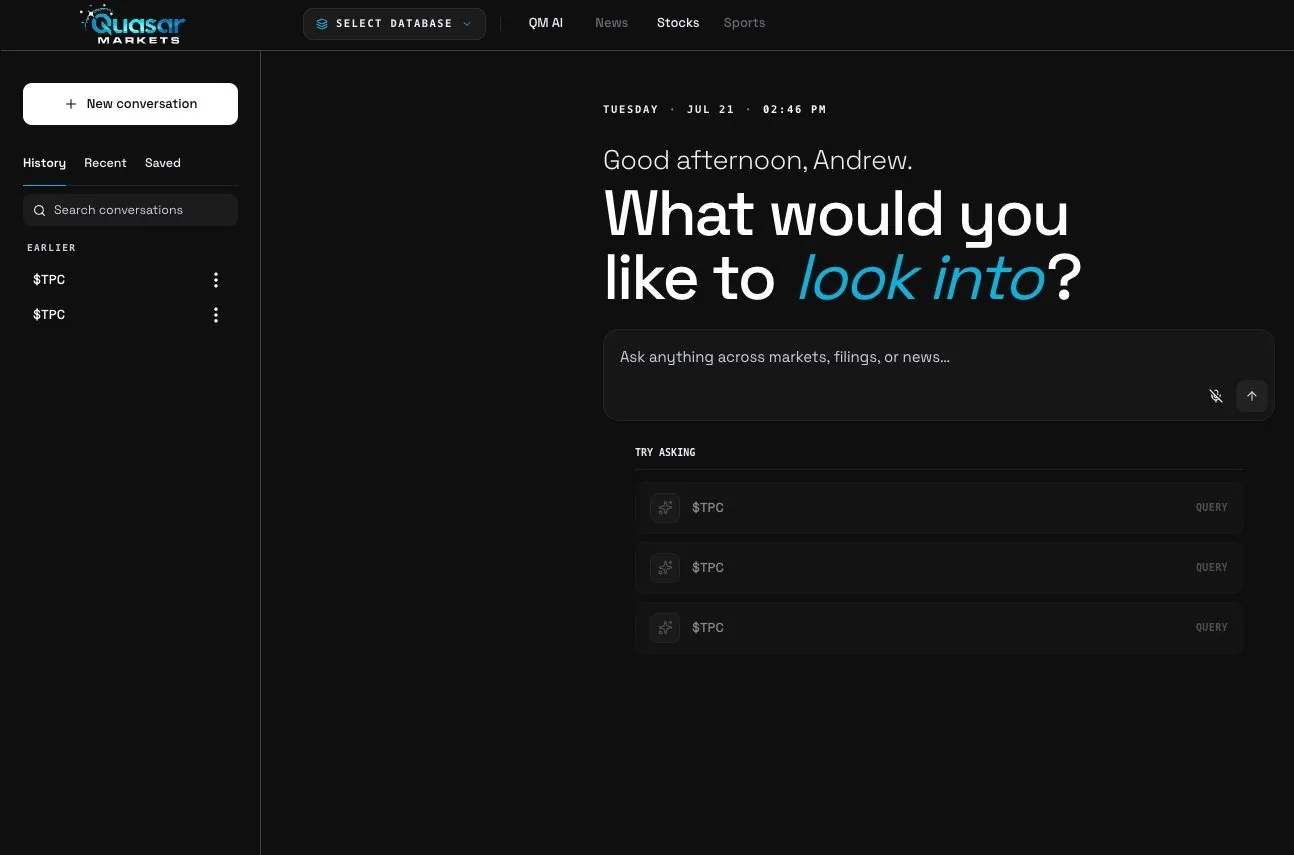
Ask Quasar Markets, captured from the live platform.
We did not train another model. We built the layer above every model.
We are not competing with the models out there. We are the intelligence layer above all of them.
The Routing Layer reads the question, scores every engine, routes it to the one that answers best, and makes that engine read the system of record. Nothing comes from the open internet.
Modern markets produce more information than any institution can harmonize. Data moves through fragmented machines, research systems, and private channels that rarely align, so signals arrive delayed, duplicated, or reshaped. The cost is real: obscured risk, longer research cycles, and paying more for certainty.
Signal variance across clarity levels
Low claritySevere fragmentation
Medium clarityPartial reconciliation
High clarityUnified, synchronized, coherentTarget state
The Clarity Engine.
Clarity is not an enhancement. It is infrastructure.
It synchronizes cross-asset data, resolves timing inconsistencies, harmonizes structure, and applies persistent metadata, so decisions stay stable and traceable.
No new dashboards. No added noise. It rebuilds the informational environment itself, so you understand markets instead of managing feeds.
A real-time stream processor aligns multi-source data at low latency. Historical layers support longitudinal, regulatory-grade analysis.
Integrity hashing, role-based access, audit logging, and enterprise endpoints that plug into the research, risk, and execution systems you already run.
Not a new system to adopt. Infrastructure that strengthens the systems institutions already rely on.
People build the assets. The data decides if they matter.
The numbers behind the fragmentation are not abstractions. They are measured, published, and getting worse.
$49.2BRecord global revenue for financial market data and analysis in 2025, up 6.5% in a single year. Certainty keeps getting more expensive.Burton-Taylor · 2025
68%Share of the data available to enterprises that goes unleveraged.Seagate / IDC Rethink Data · 2020
4 in 5Data scientists who say preparing data, not analyzing it, is the most time consuming part of the job.CrowdFlower · 2016
$12.9MAverage yearly cost of poor data quality, per organization.Gartner · 2021
Intelligence without grounding hallucinates.
Stanford researchers measured how often AI invents facts. General purpose chatbots hallucinated on more than half of legal research queries. Specialized, retrieval based tools still got it wrong up to a third of the time.
General purpose chatbotsup to 82%
Specialized AI research toolsup to 33%
Stanford RegLab and Stanford HAI, 2024. Hallucination rates measured on legal research queries.
Quasar Markets answers from the databases themselves.
The sources are connected directly to the desk. Exchanges, regulators, and datasets feed it as themselves, not as copies, scrapes, or summaries.
Research runs only against those connected databases. If it is not in the data, it is not in the answer. The data is the database itself.
This is why the desk exists. Credible data first. Everything else second.
Sources: Burton-Taylor International Consulting 2025 · Seagate and IDC Rethink Data 2020 · CrowdFlower Data Science Report 2016 · Gartner 2021 · Stanford RegLab and HAI 2024.
Request sent.
Our team will get back to you at the email you provided.
Quasar Markets · The Edge Newsletter
Sign up for The Edge.
Start your mornings with us instead. The moves that matter and the data behind them, in your inbox.
No spam. The signal, a few times a week. Unsubscribe anytime.
You’re on the list. Watch your inbox for The Edge.